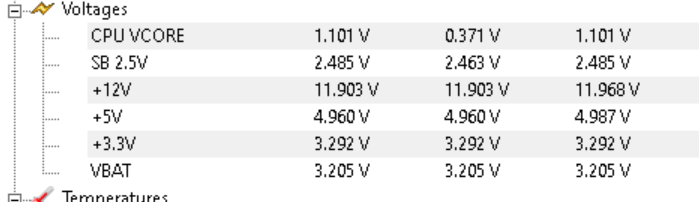
CHECK POWER SUPPLY VOLTAGES
The power supply unit is often overlooked in the PC troubleshooting process. But if you have unstable power, you’ll have numerous small and difficult-to-diagnose problems cropping up all over the place.
When a PSU fails, the best-case scenario is your computer won’t start, and you simply replace the bad PSU. In the worst-case scenario, it fails catastrophically and takes other hardware components with it. If there are any signs your PSU is failing, you should test it.
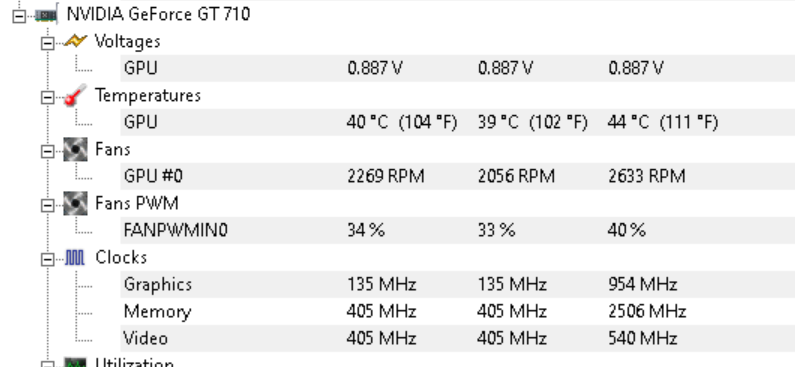
Check CPU and Graphics card temps.
If these devices are overheating this will affect overall PC performance and decrease the lifespan of PC components. It is also to check all fans are operating properly.
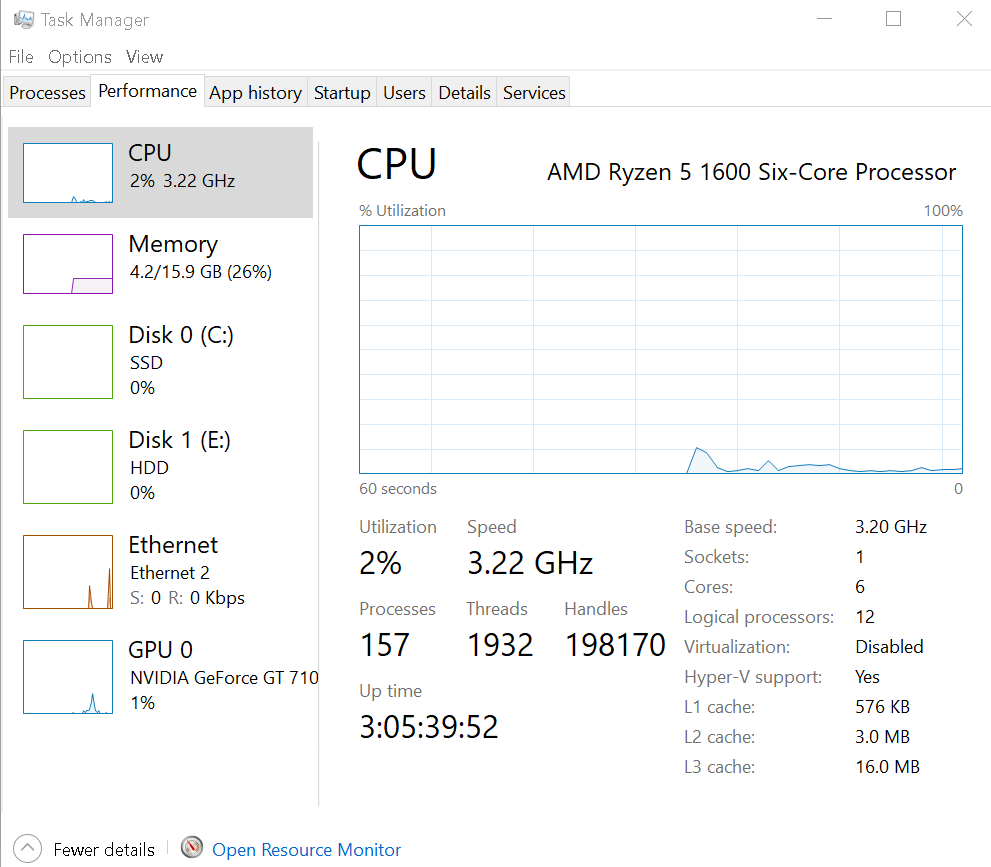
ChecK CPU usage poor pc performance may be due to and under powered cpu or rogue processes hogging cpu time
Consistently seeing CPU usage remain at a high level (80 percent or greater) for extended periods can severely impact your system or application’s performance. To overcome this issue, it is crucial to identify the underlying causes of sustained high CPU usage and take corrective measures. Unlock your system’s true potential, optimize performance, and enhance productivity with our effective strategies. Stay ahead of the competition, accelerate your workflow, and harness the full power of your applications with our innovative solutions.
Hard Drive Health
SMART hard drives record errors that have occurred during operation and will indicate if the drive is failing you can find out more about SMART parameters here
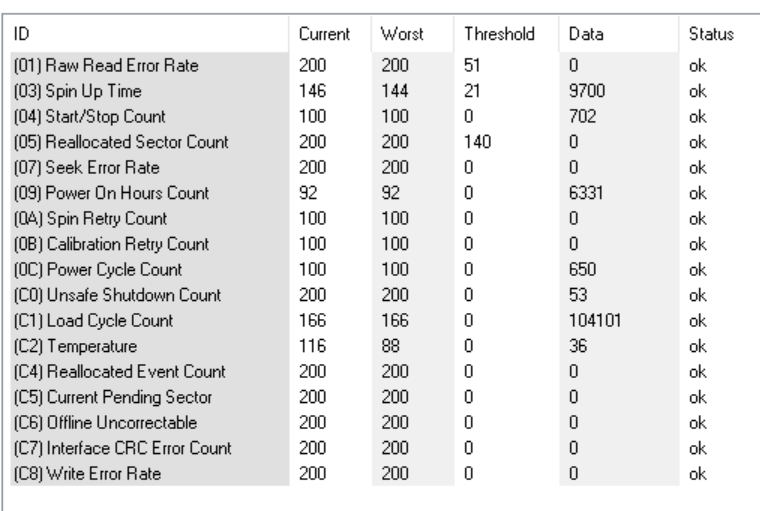
Hard Drive Health
- CHECK FILESYTEM errors can accumulate and these should be checked and repaired.
- CHECK Disk Usage
- DEFRAG HARD DRIVE – laying all files in a contiguous fashion will improve performance
- This should not be performed on solid state drives.
- Delete unnecessary files.
Virus Check
- ADWCLEANER removes malaware
- NORTON POWER ERASER
- KASPERSKY
Internet Speed
There are many Sync services such as email, drive sync and cloud programs which can absorb your bandwidth and give the appearance your pc or laptop is slow.
PC SERVICE
- REMOVE unwanted PROGRAMS
- REMOVE unwanted programs from running when your computer starts
- REMOVE unwanted TASKS
- Clean Defrag Registry The Windows Registry stores much of the information and settings for software programs, hardware devices, user preferences, and operating-system configurations in a database.
- Disable unwanted Services

PC Health
SFC The System File Checker (SFC) is a built-in Windows repair tool that scans your computer for corrupted Windows system files and attempts to restore any that it finds.
DISM DISM.exe /Online /Cleanup-image /Restorehealth performs a similar job the SFC command
CHECK LOGS
The Windows operating system and applications use event logs to record important hardware and software actions so that they can be used to troubleshoot issues with the OS. Windows tracks specific events in its log files, such as application installations, security management, system setup operations on initial startup, and problems or errors.
CHECK MINIDUMPS check update integrity
For more on are PC Checkup Service
click attached link