
Startup Repair
Perth Computer Repairs have repairing Windows PC’s in the Perth area for over 20 years.
Home>Windows>PC Repairs> Startup Repair
Startup Repair
Windows won’t boot at all (stuck/loop/black/blue screen)
The issue at hand involves Windows failing to load the bootloader, which could be due to several factors including a drive that is either not detected or corrupted. Additionally, a graphics or driver failure may contribute to the problem, as well as the possibility that the BIOS or UEFI settings are not configured to point to the correct boot device. This situation can leave the system stuck before the operating system initialization process begins. Furthermore, there may be underlying hardware faults related to the SSD or HDD, RAM, GPU, motherboard, or even the power supply that could be exacerbating the issue.
System starts but crashes or restarts
The issue of Windows failing to load the bootloader can stem from several underlying problems.One possibility is that the drive is not detected or has become corrupted, which prevents the operating system from accessing necessary files.Additionally, a graphics or driver failure may contribute to this issue, along with incorrect BIOS or UEFI settings that do not point to the appropriate boot device.In some cases, the system may become stuck before OS initialization, indicating a deeper problem.Furthermore, there could be a hardware fault involving components such as the SSD or HDD, RAM, GPU, motherboard, or even the power supply, all of which could impede the booting proces
STARTUP REPAIR
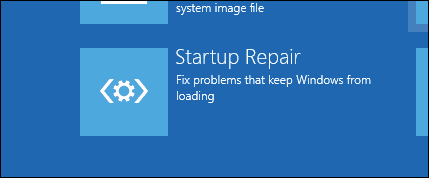
You’re stuck in the Automatic Repair loop, which means Windows detects a startup problem but can’t fix it on its own. This is usually caused by corrupt system files, damaged boot configuration, a failed update, disk errors, or sometimes a failing drive.
If you find yourself stuck in the Automatic Repair loop, it indicates that Windows has detected a startup problem but is unable to resolve it independently. This issue is often attributed to a variety of factors, including corrupt system files, a damaged boot configuration, a failed update, disk errors, or in some cases, a failing drive.
“No Boot Device” / Bootmgr missing / BIOS issues
Slow boot or login issues
We are very familiar with startup repair problems and will get you working again in no time.

Computer Repairs
Slow computer and laptop Repairs.
Broken Screen Replacements.
CMOS Battery Replacement.

Laptop Repairs
Screen replacement
Laptop not booting

PC Repairs
windows updates problems.
network and print issues
windows not booting properly.

Computer Technician
update software packages,
diagnose and resolves IT issues.
setup email

Apple Mac Repair
Apple Mac Hard drive replacement
SSD drive replacement.
Damaged Screen.