
Windows Update
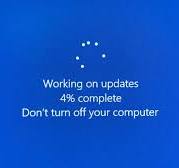
In more serious cases, a Windows 11 update can cause boot loops, BitLocker recovery prompts, startup failures, or even prevent Windows from loading normally. A boot loop occurs when the computer repeatedly restarts while attempting to complete the update, often because of a failed driver installation, corrupted system files, or an incomplete update. Windows may also enter Automatic Repair repeatedly or roll the update back before eventually returning to the previous version.
Another issue is BitLocker recovery, where Windows suddenly asks for the BitLocker recovery key after an update. This can occur when changes to the TPM, Secure Boot configuration, BIOS/UEFI firmware, or boot environment cause BitLocker to detect that the system’s security state has changed. Although this can appear alarming, it does not necessarily mean the drive is damaged.
In some cases, the update can leave Windows unable to boot because critical boot files, system components, or storage and chipset drivers have become corrupted or incompatible. Symptoms may include “INACCESSIBLE_BOOT_DEVICE,” a missing boot device, a black screen, repeated Automatic Repair, or Windows continually reverting the update. If recovery options such as System Restore, uninstalling the latest quality or feature update, or repairing the boot configuration do not resolve the problem, the issue may extend beyond Windows itself and require investigation of the SSD/NVMe drive, RAM, motherboard, BIOS/UEFI firmware, or other hardware.
.
Common Update Problems
- Printer Problems
- Network Problems
- Driver Problems

Computer Repairs
Slow computer and laptop Repairs.
Broken Screen Replacements.
CMOS Battery Replacement.

Laptop Repairs
Screen replacement
Laptop not booting

PC Repairs
windows updates problems.
network and print issues
windows not booting properly.

Computer Technician
update software packages,
diagnose and resolves IT issues.
setup email

Apple Mac Repair
Apple Mac Hard drive replacement
SSD drive replacement.
Damaged Screen.