
Kernel Panic
A kernel panic is a serious error that can occur on a Mac, caused by a critical problem the macOS kernel encounters and cannot safely recover from. This core component manages hardware, memory, and system processes. To prevent data corruption or hardware damage, the operating system immediately stops running and restarts the computer when a kernel panic occurs. On newer versions of macOS, a kernel panic often appears as a message stating, ‘Your computer restarted because of a problem.’ Older versions may display a multilingual message instructing you to restart the computer. Kernel panics can be triggered by either hardware or software problems, and repeated panics often indicate an underlying issue that should be investigated. Hardware problems, such as failing RAM, defective SSD or hard drive, logic board faults, GPU failures, faulty power supply or battery, overheating, or damaged peripherals, can cause recurring kernel panics by sending invalid data to the kernel, forcing macOS to halt to protect the system. Software problems, including failed macOS updates, corrupted operating system files, faulty kernel extensions, buggy system drivers, incompatible third-party security or virtualization software, and low-level system utilities interacting directly with hardware, can also trigger kernel panics. Modern versions of macOS use System Extensions and DriverKit to reduce the risk of kernel panics caused by third-party software, though the risk is not completely eliminated.
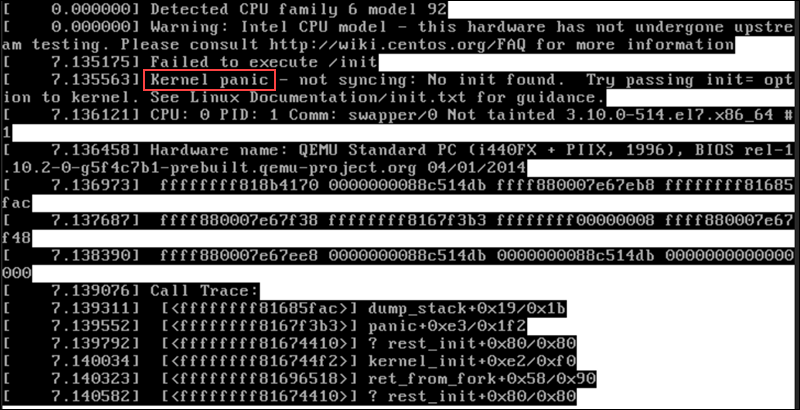
Kernel panic is usually caused by critical errors such as hardware failures, severe software bugs, or faulty device drivers, and is often accompanied by a “panic” sound or distinctive visual pattern.
When a kernel terminates software (an app or the OS) that encounters an error that prevents it from functioning properly, a system crash occurs, also called a system failure. As a result of the error, the entire system usually becomes unresponsive or shuts down abruptly.
Kernel panic causes
Kernel panic is caused by multiple scenarios and factors. The most common causes are listed below.
Memory or RAM can malfunction, causing kernel panics. Modern operating systems, such as Mac OS X, are sensitive to memory. Kernel Panics may occur when third-party kernel extensions that is software not written by Apple or dependencies that are incompatible with the version of Mac OS X you are using. When the kernel attempts to load or execute corrupt kernel extensions or dependencies, such as those caused by hard disk corruption, kernel panics are likely to occur.
- Incompatible, obsolete, or corrupt drivers. Similar to kernel extensions, third-party drivers that are incompatible with your version of Mac OS X, or that have become corrupt, will cause kernel panics.
- Corruption of hard disks, including bad sectors, directory corruption, and other problems.
- System-related files or folders with incorrect permissions.
- Hard disk space and RAM are insufficient.
- Hardware or software that has been installed incorrectly

Computer Repairs
Slow computer and laptop Repairs.
Broken Screen Replacements.
CMOS Battery Replacement.

Laptop Repairs
Screen replacement
Laptop not booting

PC Repairs
windows updates problems.
network and print issues
windows not booting properly.

Computer Technician
update software packages,
diagnose and resolves IT issues.
setup email

Apple Mac Repair
Apple Mac Hard drive replacement
SSD drive replacement.
Damaged Screen.